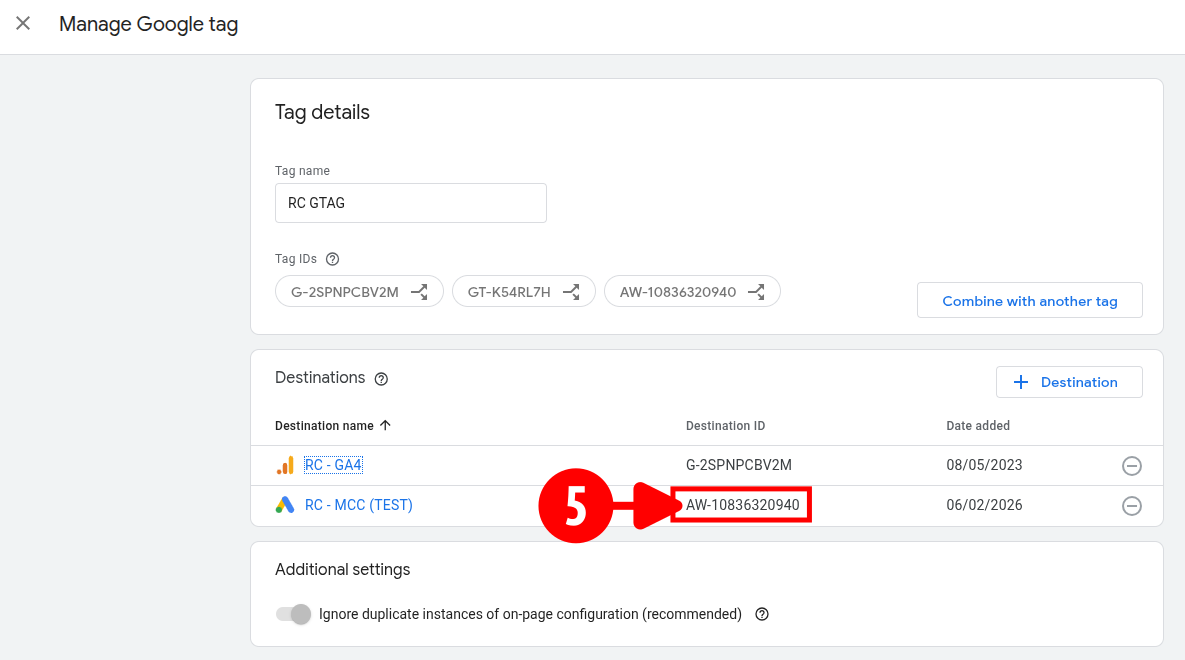
Get Property ID
Extract your account-level Google Ads Conversion ID (Google Tag ID) directly from the unified Data Manager infrastructure to anchor your backend event streams.
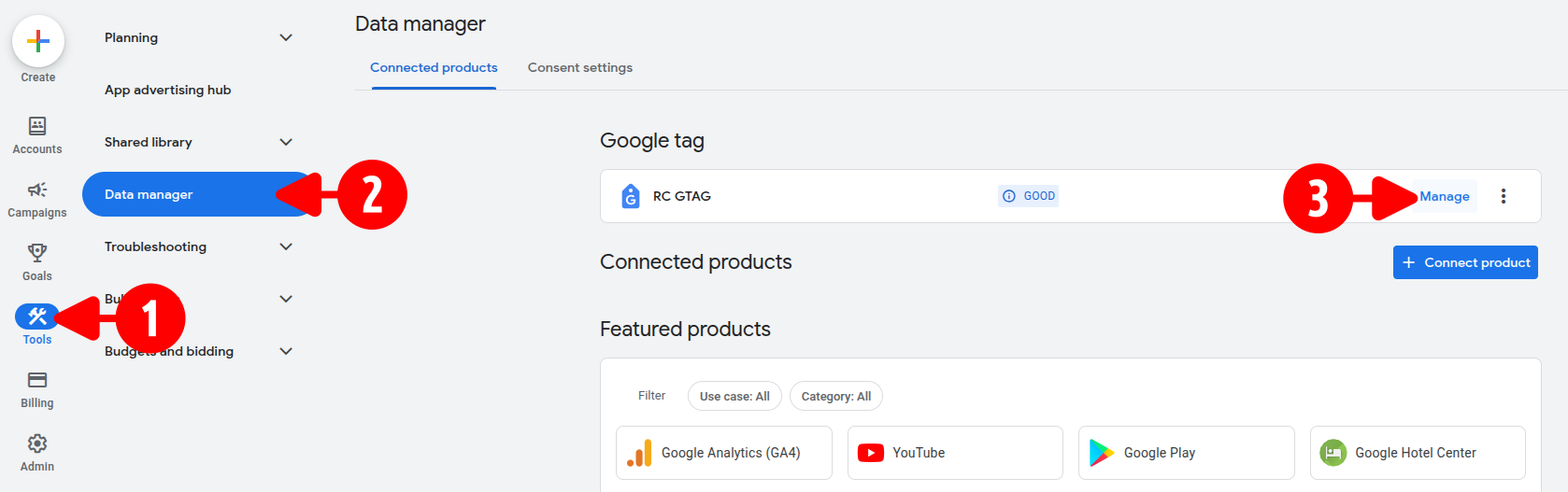
- Open your Google Ads dashboard.
- Click Tools > Data manager.
-
Click Manage on the right side of your primary Google tag.
-
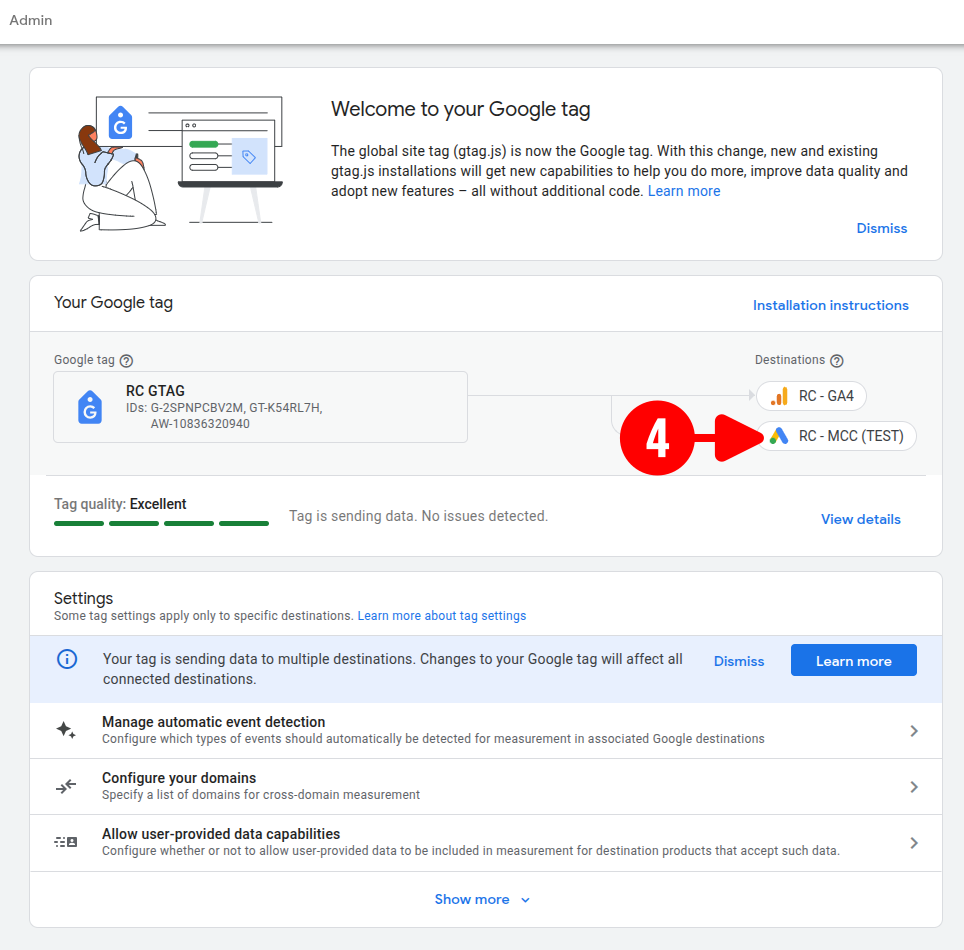
Click your target Google Ads destination account link under the Destinations list.
-
Copy the value listed under the Destination ID column (e.g.,
AW-10836320940).