Unwanted Referrals
Configure the unwanted referrals list in Google Analytics 4 to prevent external payment gateways from disrupting user sessions and distorting transaction attribution data.
- Navigate to your Google Analytics dashboard and click the Admin gear icon in the bottom-left corner.
- Click Data Streams under the Data collection and modification menu.
-
Select your active website data stream from the list.

-
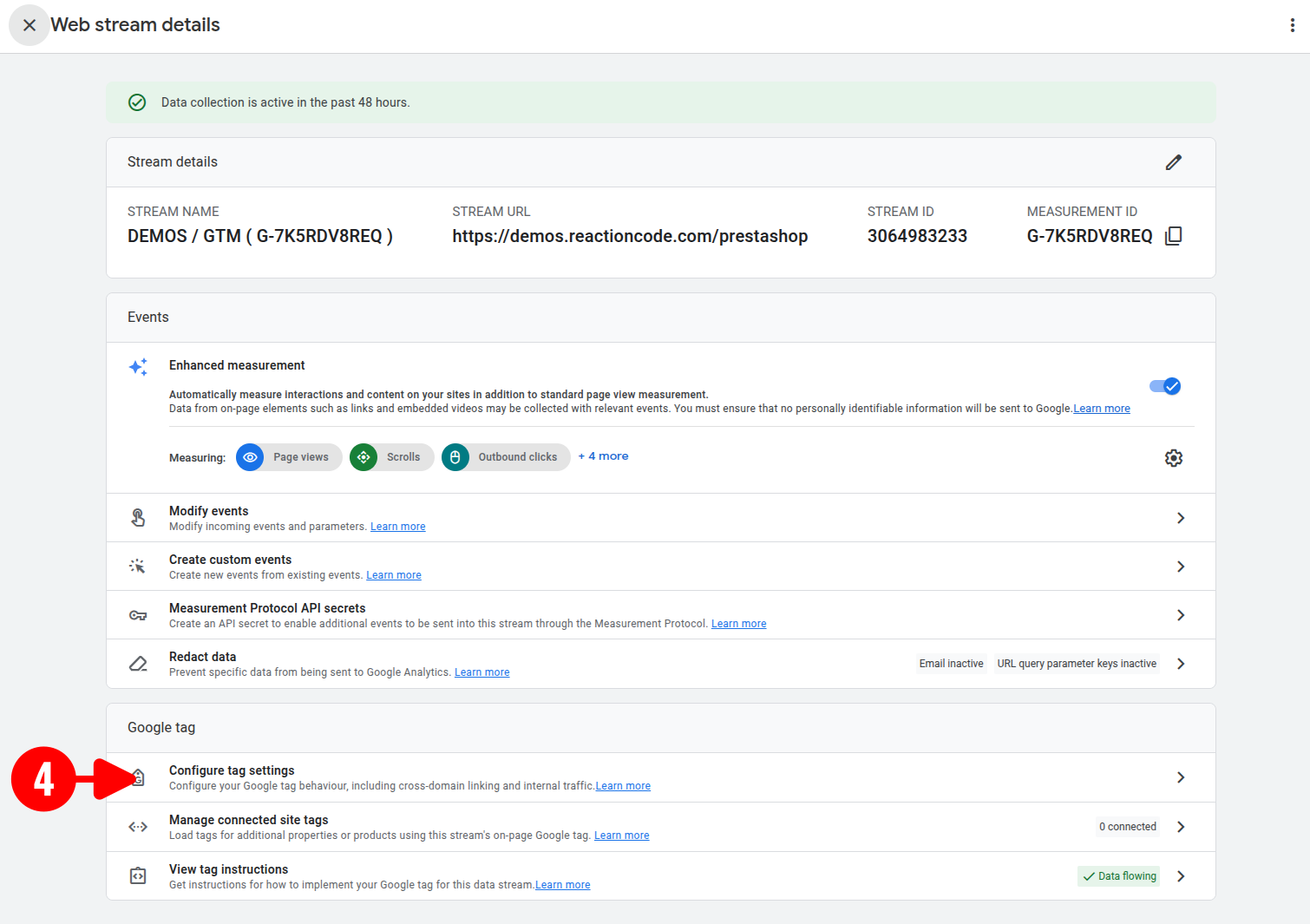
Scroll down to the Google tag section and click Configure tag settings.
-
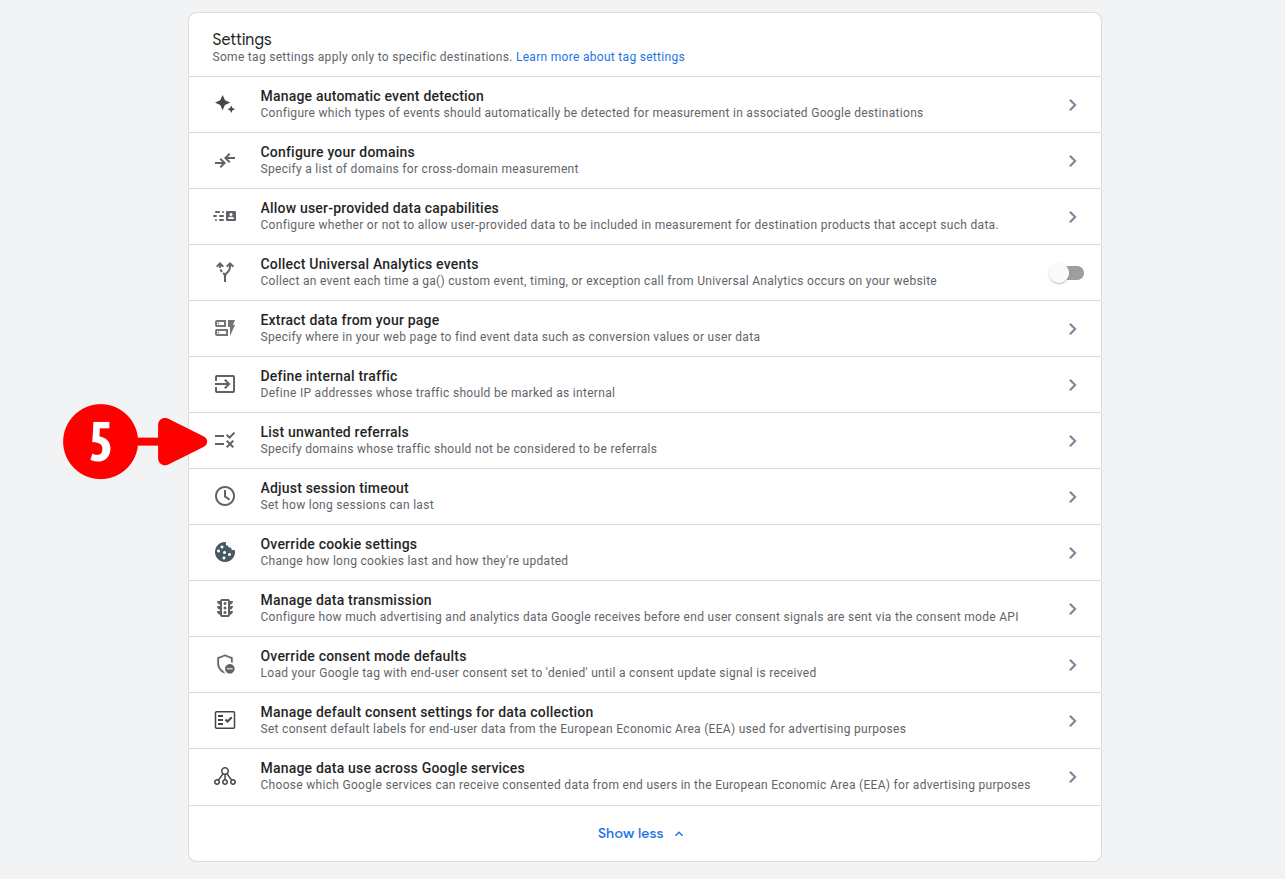
Click List unwanted referrals within the settings panel.
-
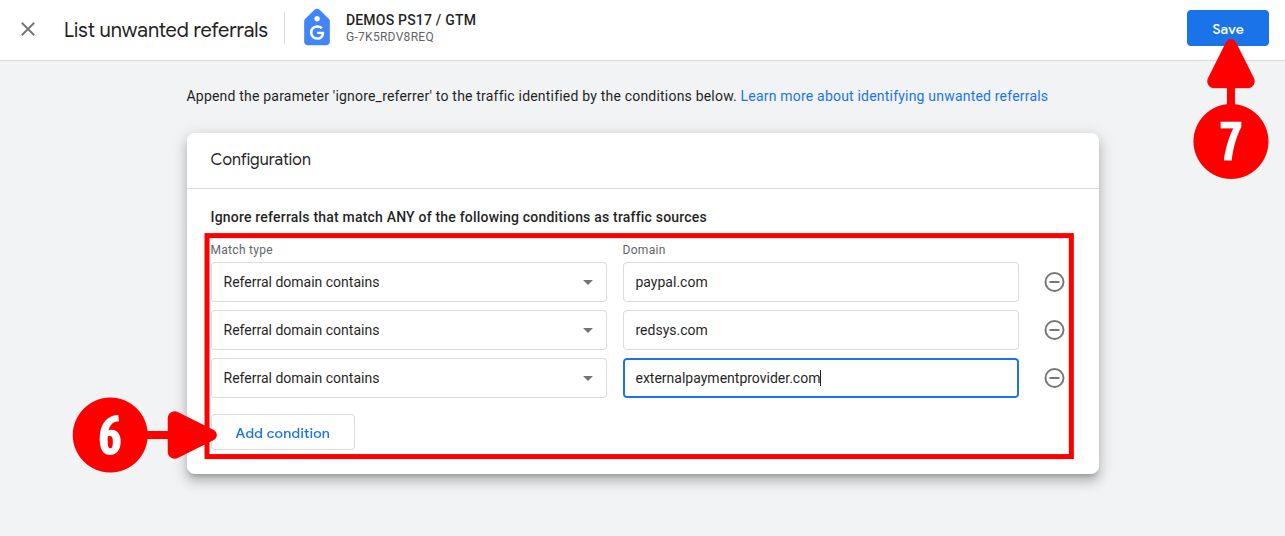
Click Add condition, set the match type to Referral domain contains, and enter your payment gateway domains (e.g.,
paypal.com,redsys.com). -
Click Save in the top-right corner to apply the exclusions to your GA4 property.
Module Configuration
Prevent Measurement Protocol Attribution Distortion
The Measurement Protocol transmits conversion events directly from server to server. If you omit these payment domains inside the module configuration, backend purchase events will mistakenly attribute to the payment gateway instead of the original acquisition channel (such as Google Ads or organic traffic). Replicating this list ensures accurate marketing attribution.
- Open your PrestaShop back office and navigate to the module configuration page.
- Select the API Common tab from the left menu.
- Locate the Referral Exclusion List section.
- Click + Add New to generate additional input fields and enter the exact same payment domains excluded in GA4 (e.g.,
paypal.com,redsys.com). - Click Save at the bottom of the page to apply the updates.